

Best AI For Academic Research: Comparing Top Research Tools
Being deeply involved in academic research, I constantly struggle to keep up with thousands of new studies published daily. Without proper tools, I spend excessive hours searching, reading, and organizing papers instead of analyzing meaningful insights.
In this article, I share my experience with AI tools and explain why UPDF AI Online is the best AI for academic research. Unlike general AI assistants, it helps me search papers, summarize findings, and extract insights. Paired with the UPDF PDF Editor, it allows me to read, annotate, and process academic PDFs. Now, look at the reasons students and researchers rely on these tools:
- Locates and filters academic papers to save significant reading time.
- Breaks down complex research methods into understandable points.
- Extracts and organizes references to maintain proper citation formats.
Part 1. What Makes an AI Tool Good for Academic Research?
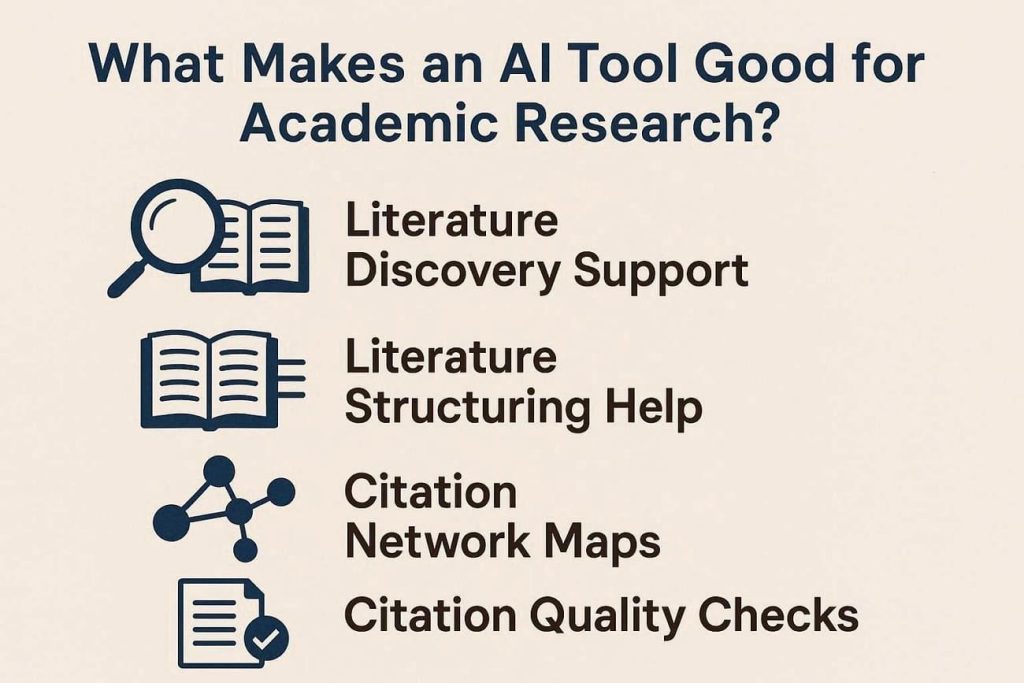
For users asking, “what is the best AI tool for academic research?”, the features matter most, which are listed below:
- Literature Discovery Support: Helps you find relevant papers, filter results, and surface key studies you might otherwise miss.
- Literature Structuring Help: Group papers by themes and years so your sections stay clear and logical.
- Citation Network Maps: Shows how papers cite each other, so you see core works and recent important studies.
- Citation Quality Checks: Flags weak and irrelevant references so your final reference list stays strong.
 Part 2. The Best All-in-One AI for Academic Research: UPDF AI Online
After juggling paper searches, PDF reading, and scattered notes, I needed one tool to connect everything. This is where UPDF AI Online steps in to simplify academic workflows. It helps me search papers, analyze findings, and manage PDFs without switching tools. What makes it different is how academic search, analysis, and PDF handling work together. This unified approach reduces tool switching and keeps my research workflow focused.
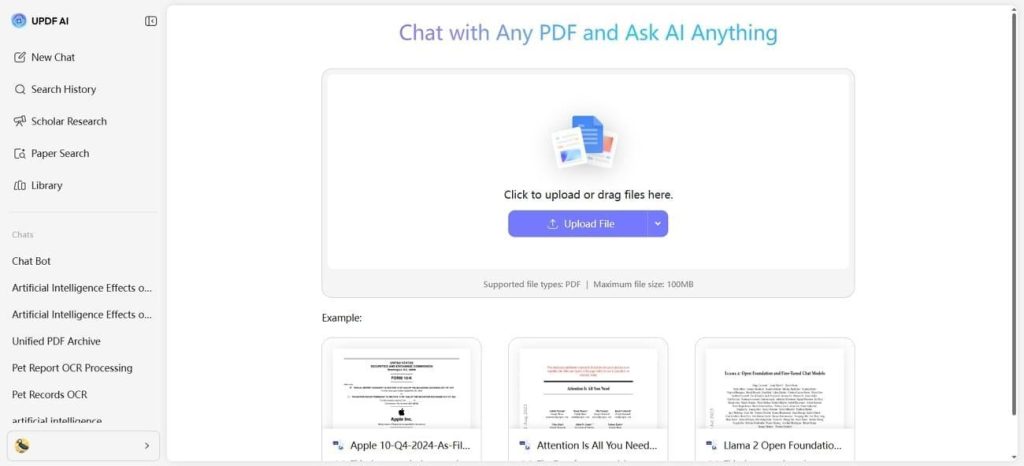 Feature Highlight: Scholar Research
This feature helps me turn a single keyword into a structured research package I can use. I answer a few guided questions, then it pulls reliable details into PDFs and literature-style overviews.
Key Characteristics
- Uses paper search across many documents to gather accurate research details for you.
- Structure findings into clear literature reviews and downloadable PDF research reports.
- Tracks citations and sources while integrating smoothly into focused research workflows.
Feature Highlight: Paper Search
Paper Search helps me quickly find peer-reviewed papers and analyze them without wasting hours manually searching. I rely on DeepThink mode when I want question-based exploration across related papers.
For quick summaries of relevant studies and finding key papers with keywords, I switch to “Keyword” mode.
Key Characteristics
- Academic databases get priority, so PDFs stay central, and results remain credible.
- Relation graphs reveal how papers connect and highlight important patterns.
- Key insights surface, citations stay tracked, and papers move into organized projects.
Guide to Use UPDF AI Online for Academic Research
Once I explored the highlighting features of the best AI for academic research, follow the steps below:
Step 1. Access Scholar Research
On the main interface, press the “Scholar Research” option and enter your topic. Next, choose the “Standard” or “High-Quality” mode based on topic depth and press the “Send” button.
Step 2. Answer Auto-Generated Question
Afterwards, answer the auto-generated questions to let the platform know your research direction.
Step 3. Download the Generated Literature Review
Once the literature review PDF is generated, view it in the “Note” interface and press the “Download” icon to download it. You can also access and download the resource files by clicking the “Download” icon on it.
Step 4. Go to Paper Search
Next, click the “Paper Search” option, enable the “DeepThink” mode, and enter your question or topic. You can also switch keyword mode by pressing the “Keyword” option.
Step 5. Review Searched Papers
Once done, review the explorations across the related papers. To get the quick summary of each paper, hover your mouse over the “Number” icon or press the icon to read the full paper. You can also download and chat with the paper PDF after opening it.
Other UPDF AI Online Features
- Translate PDF: Translates full PDFs into more than 12 major languages while preserving original layout and formatting.
- PDF to Mind Map: Turns long, complex PDFs into clear visual mind maps that spotlight main ideas and relationships.
- Convert PDF: Let you convert PDFs to and from popular editable formats for smoother document workflows.
Part 3. Other Top AI Tools for Academic Research
While searching for the best AI tools for academic research, I discovered some other options for my academic research workflows.
-
Perplexity
This platform supports academic research by combining web search with clearly cited answers for quick topic overviews. “Deep Research” and “Academic” options help organize complex questions and surface peer‑reviewed material into structured, readable reports.
Pros
- Deep Research generates structured reports from many sources.
- Academic options focus on scholarly sources and citation transparency.
Con
- Limited control over which databases it searches.
-
Scispace
It helps researchers search and synthesize papers using semantic literature search and citation-aware assistance. Its “Copilot” and “Deep Review” features speed up literature reviews, support topic discovery, and turn collections of PDFs into research-ready insights.
Pros
- Deep Review automates mini literature reviews across hundreds of papers.
- Copilot explains dense methods and equations inside uploaded PDFs.
Con
- AI-driven search is unsuitable for fully reproducible systematic review screening.
-
Elicit
Elicit turns natural-language questions into structured literature reviews, evidence tables, and research briefs. Its workflows support systematic reviews by automating paper discovery and data extraction across citation-rich corpora.
Pros
- Semantic search surfaces relevant studies beyond simple keyword matching.
- Data-extraction tables speed up meta-analyses and structured evidence synthesis.
Con
- Works best with empirical papers; narrative humanities content remains challenging.
Conclusion
To conclude, the best AI for academic research should simplify discovery, analysis, and organization without disrupting focused scholarly workflows. After comparing multiple tools, I found that integrated research, PDF handling, and citation support make the biggest difference. If you want a smooth research workflow without using multiple tools, try UPDF AI Online for academic research.


You May Also Like

$40M HYPE withdrawal sparks supply crunch speculation

AERO Price Eyes Breakout As Robinhood Expands Access

Bitcoin, Gold, and U.S. Stocks Dive as Trump Pledges to Hit Iran ‘Extremely Hard’



