How to Deposit Crypto to MEXC (Web)
This guide explains how to deposit cryptocurrency into your MEXC account using MEXC Web. For illustration, we use USDC and MetaMask as an example, but the steps are similar for other tokens and wallets.
Key Points to Know Before Depositing
- Network Consistency: The deposit network on MEXC must match the withdrawal network in your wallet or exchange. If the networks are different, your assets may be permanently lost.
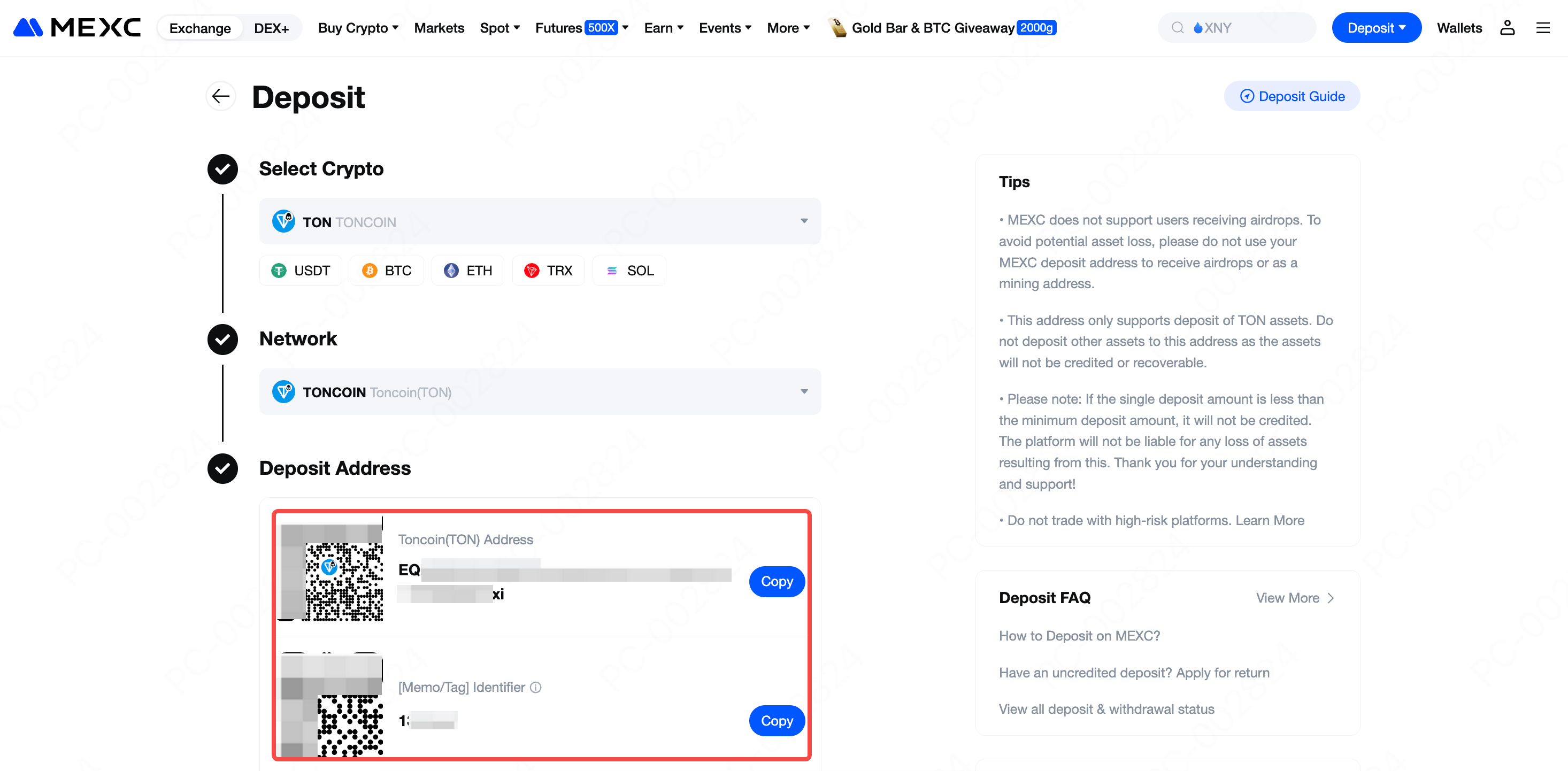
- Memo Requirement: Some networks (such as TON) require both an address and a Memo/Tag. If the Memo/Tag is missing or incorrect, the deposit cannot be credited.
- Fee Differences: Networks vary in fees and confirmation time. Choose the one that works best for you.
- Address Check: Always double-check the address, network, and token before sending funds.
Step 1: Log in and Go to Deposit
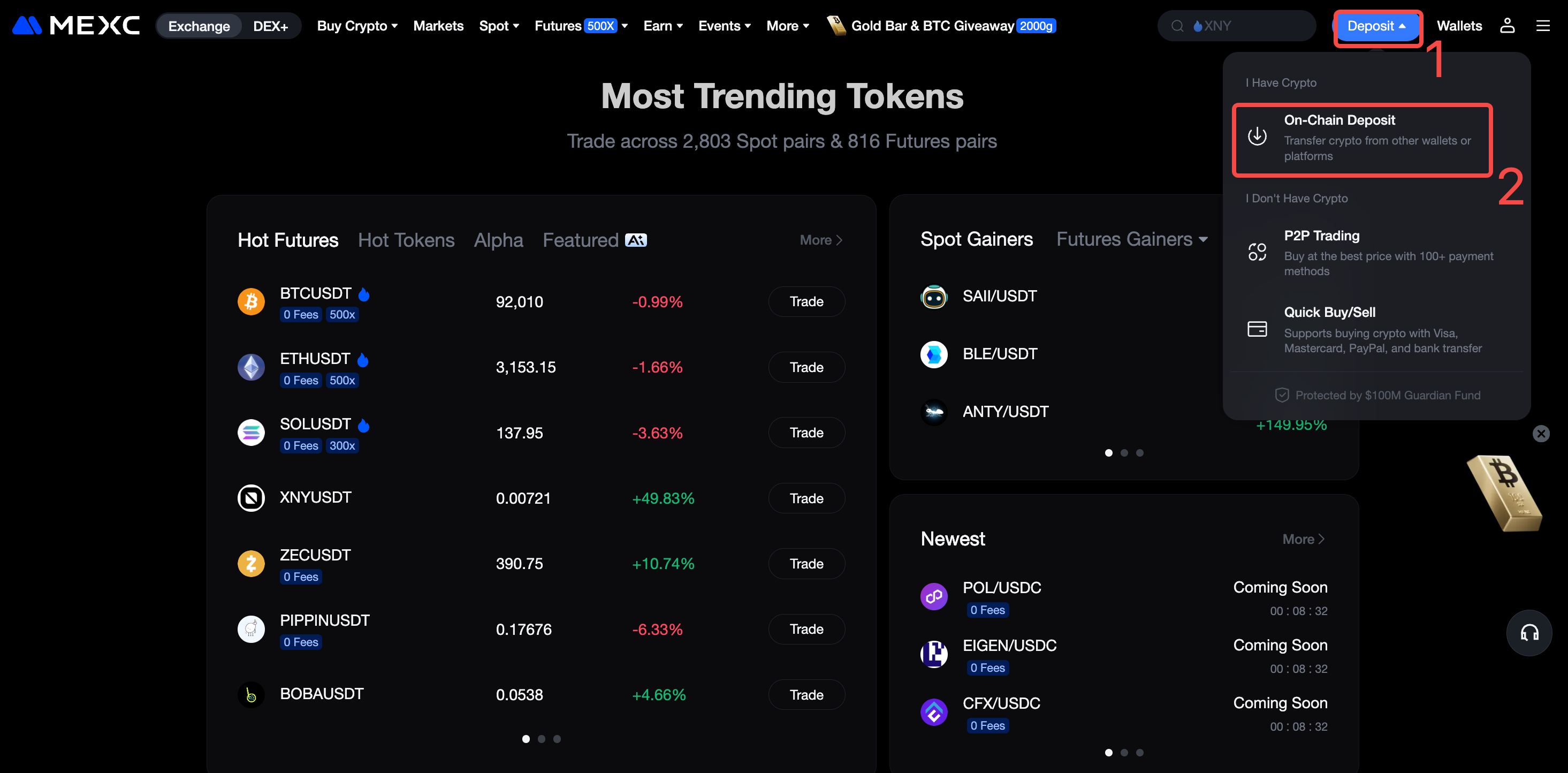
Open the official MEXC website and sign in to your account. On the homepage, go to Wallets and click Deposit, then select On-Chain Deposit to open the deposit page.
Step 2: Choose Token to Deposit
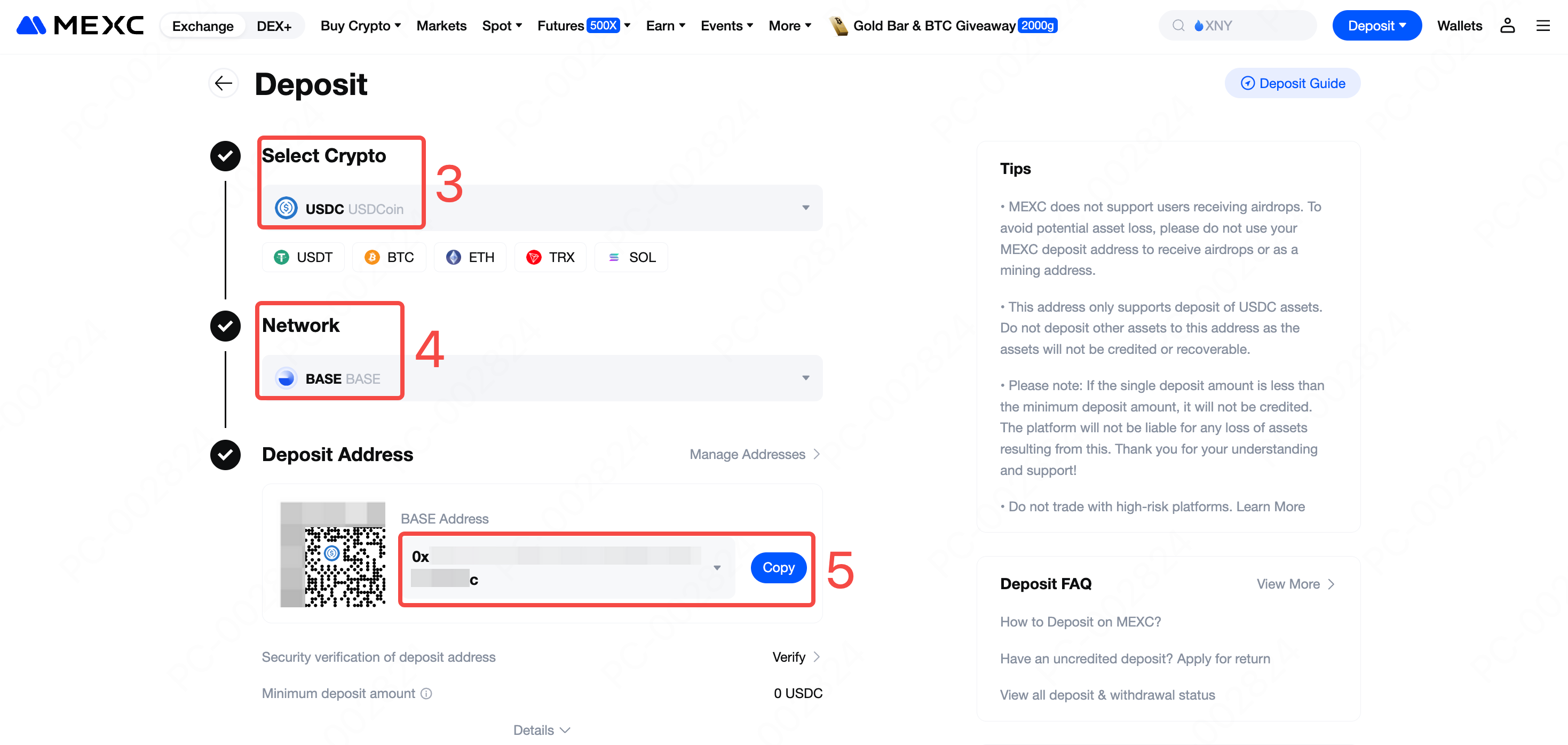
On the deposit page, enter the name of the cryptocurrency you want to deposit. In this guide, we use USDC as an example.
Step 3: Select Deposit Network
On the Deposite page, choose the blockchain network that matches the withdrawal network used on your sending platform. The deposit network must be exactly the same as the withdrawal network. Selecting the wrong network may result in a permanent loss of funds.
Different networks have different fees and confirmation times. Choose the option that best fits your needs. In this example, we select the Base network and click BASE to continue.
Step 4: Obtain Your Deposit Address
The system will display your unique deposit address. Click Copy to save the address so you can paste it later on the withdrawal platform.
Note: For some blockchains (such as TON), you must enter both the address and the Memo (tag) when making a deposit. If the Memo is missing or incorrect, the funds cannot be credited. Always review the instructions shown on the deposit page before sending your transaction.
Step 5: Initiate Transfer
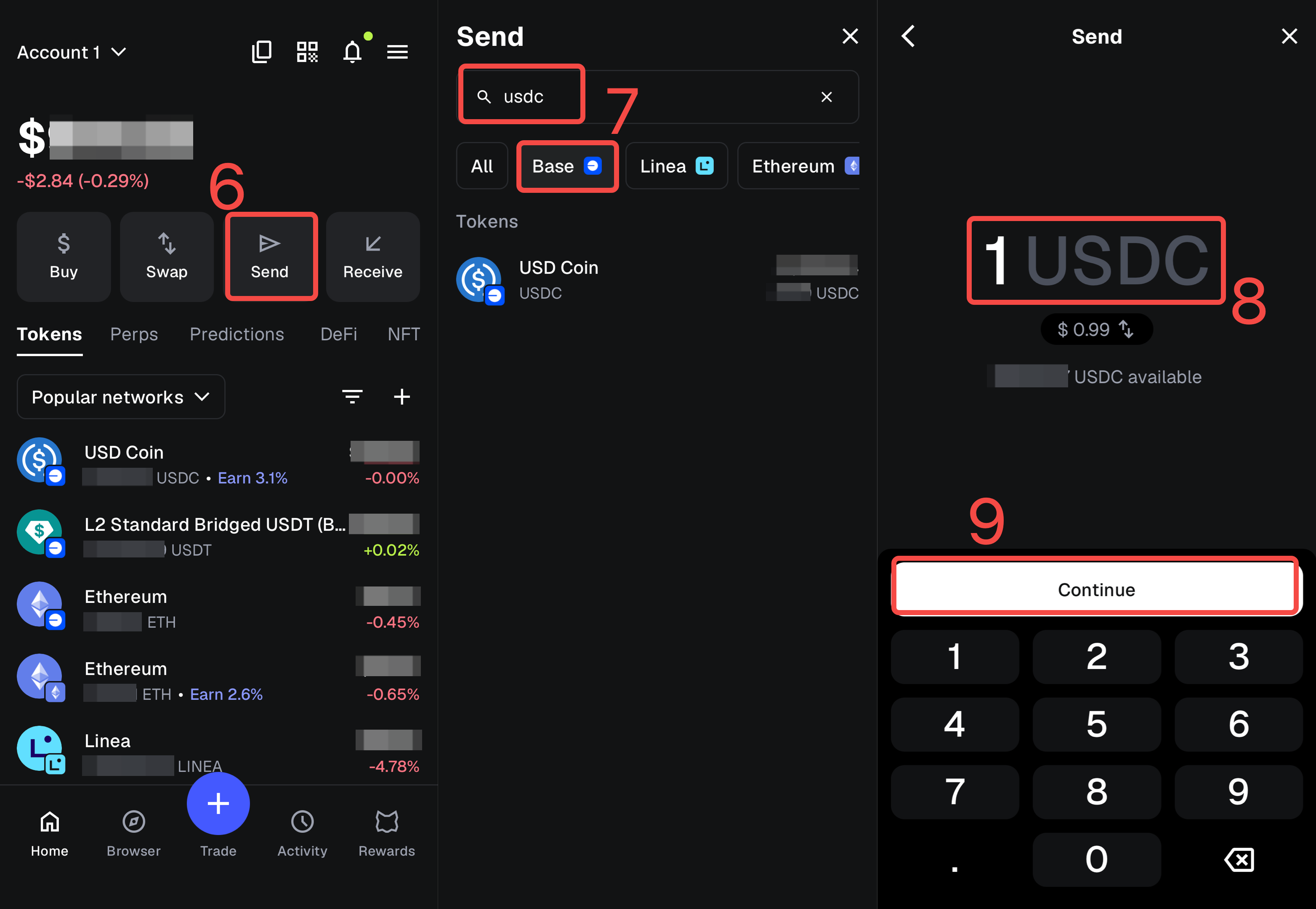
Using MetaMask as an example, here's how to transfer USDC to MEXC:
1) Open your MetaMask wallet and click Send.
2) In the search field, enter USDC, and make sure the current network is set to Base.
3) Enter the amount you want to transfer, then click Continue to proceed.
Step 6: Enter Deposit Address and Confirm Transfer
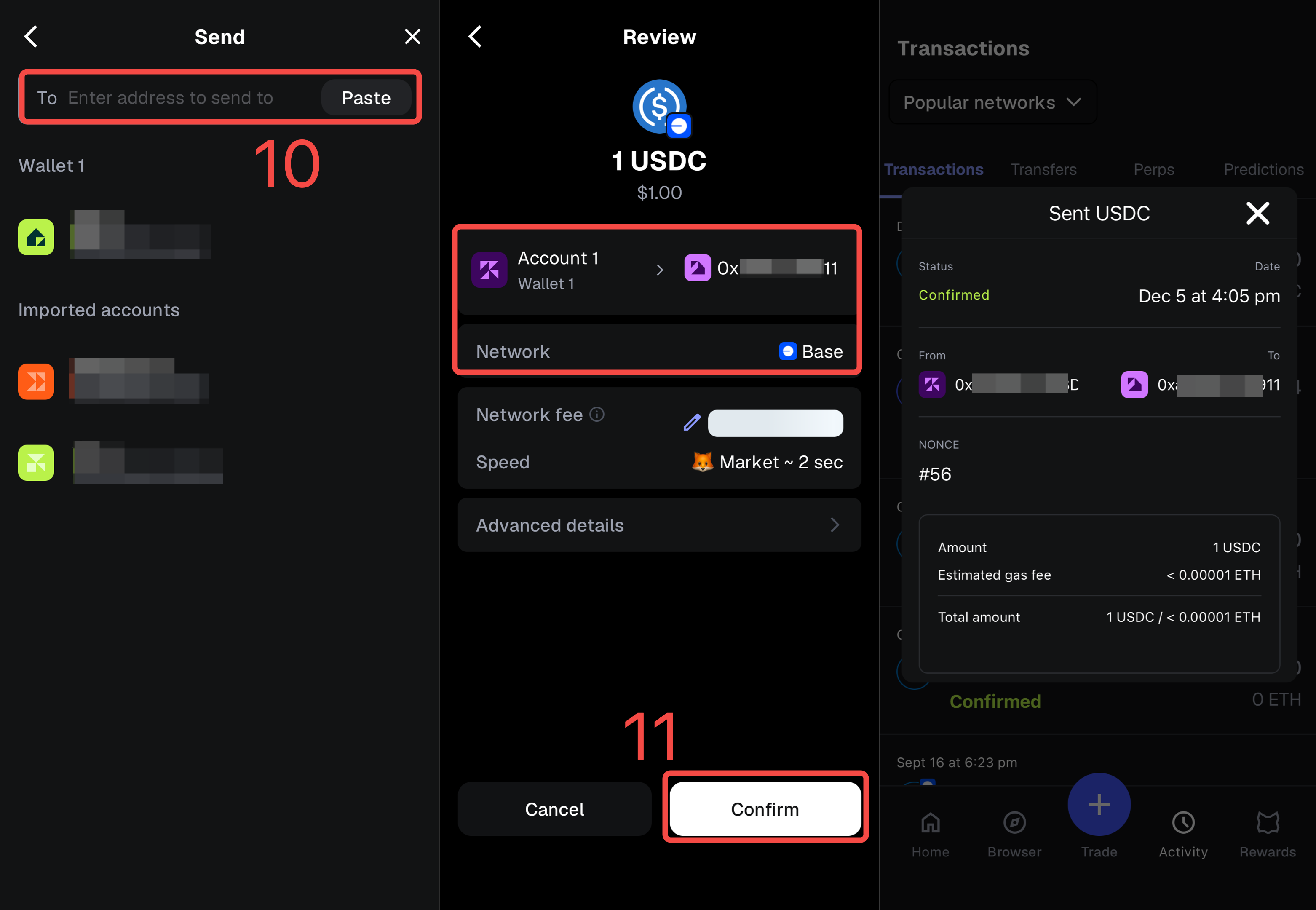
1) In the Recipient (Enter address to send to) field in MetaMask, paste the MEXC deposit address you copied earlier.
2) Carefully check that the deposit address is correct, the network matches, and the current network fee is acceptable. When everything looks correct, click Confirm to submit the transaction.
After the transfer is sent, your funds will be credited to your MEXC account once the transaction is confirmed on the blockchain. The time required depends on network conditions and may range from a few minutes to longer during periods of congestion.